

Marks Kraken: Enterprise Application Suite
Marks Kraken is the next-generation unified enterprise operating system engineered specifically for Marks global creative production, brand packaging, prepress, and digital asset workflows.
Historically, studio operations, resource planning, project governance, and financial reconciliation were fragmented across four disconnected platforms:
Workfront
Replaced with Triton: Project hierarchy, 25-tab workspace, CPM engine, and baseline revision governance.Calypso / Marks RS
Replaced with Calypso Scheduler: Real-time studio capacity heatmaps and drag-and-drop bookings.Octopus Financials
Replaced with Octopus Module: Rate card management, margin calculators, and milestone invoice previews.O2 / SAP APIM
Replaced with Leviathan Gateway: Direct ERP reconciliation for TA, ZFOC, and ZSV5 documents.
Guiding Architectural Tenet: Zero Latency, Pure ADO.NET
Kraken eliminates heavyweight ORMs in favor of direct, zero-allocation pure ADO.NET query pipelines connecting to Azure SQL (Workfront_SB01). Critical path calculations, 1,000-task WBS renderings, and SAP synchronizations execute in sub-15ms benchmarks.
System Architecture & Technical Topology
The Marks Kraken solution is structured into three unified layers:
- Core Backend (ASP.NET Core 9 / .NET 9): Fast, lightweight HTTP REST endpoints and background daemon workers. Includes specialized math and scheduling services such as
CriticalPathCalculator,ExchangeRateProvider, andBaselineSnapshotService. - Persistence & Data Pipeline: Pure ADO.NET via
Microsoft.Data.SqlClienttargeting Azure SQL Database (Workfront_SB01). Zero Entity Framework overhead, strict parameterized queries for SQL injection immunity, and connection pooling. - Frontend Presentation: High-speed Vanilla JavaScript (ES2022) with Bootstrap 5.3 and CSS3 custom properties. Zero monolithic frontend frameworks (no React/Angular/Vue build bloat), ensuring immediate page loads, native browser responsiveness, and instant DOM updates.
Master Domain Glossary
Definitions for core terms used throughout the Marks Kraken application suite:
| Term / Acronym | Definition & Operational Relevance |
|---|---|
| Triton | The Kraken Project Workspace engine, providing 25 operational tabs covering WBS, CPM, financial baselines, and team assignments. |
| Calypso | The Marks Resource Scheduler module, displaying specialist capacity heatmaps, skills matrices, and drag-and-drop timeline bookings. |
| Leviathan | The enterprise ERP integration gateway linking Kraken project deliverables with SAP APIM QAS/PRD for order and invoice sync. |
| Catalyst | Visual SVG workflow designer enabling administrators to visually model event triggers, validation blocks, and conditional branches. |
| Critical Path (CPM) | The sequence of dependent project tasks that directly determines the overall project completion date. Tasks on the critical path have zero float (slack). |
| Baseline V0 | The initial immutable snapshot of a project schedule and estimate upon client approval. Subsequent changes are measured as variance against V0. |
| Standard Order (TA) | SAP standard billable sales order type utilizing condition type ZPB0 for commercial invoicing. |
| Free-of-Charge (ZFOC) | SAP non-billable order type used for client packaging proofs, color swatch samples, and commercial exploratory iterations. |
| Service Order (ZSV5) | SAP internal operational order type generating an internal ORDERID for cost allocation and contractor tracking. |
| Sold-To (AG) | The SAP partner function representing the commercial legal entity contracting and paying for creative services. |
| Ship-To (WE) | The SAP partner function designating the destination printing plant or brand packaging manufacturing facility. |
| Quick Log (7.5h) | 1-click labor entry function that automatically distributes the standard 7.5h workday across a user's active assigned tasks. |
| Omnisearch | Global keyboard-driven search engine (Ctrl+K or /) indexing projects, tasks, briefs, users, and financial records. |
Authentication, Sessions & Omnisearch
Kraken provides enterprise security with JWT authentication, silent session renewal, and zero-mouse Omnisearch navigation.
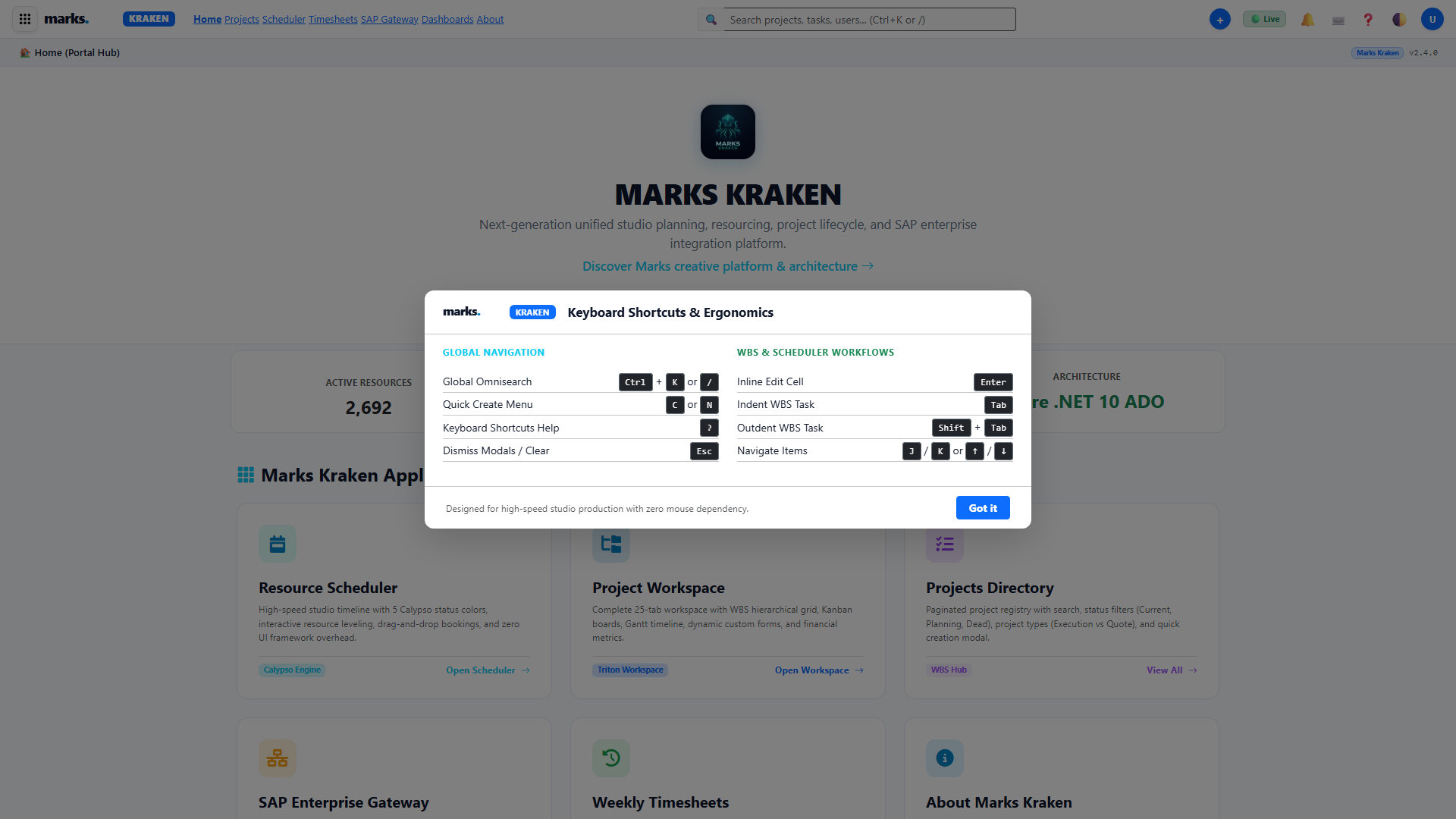
Ctrl+K or ?).
Key Buttons & Interactions
- Ctrl + K or /: Opens global Omnisearch modal from anywhere in the application.
- ?: Opens Keyboard Shortcuts cheat sheet.
- F1 or ❓ Navbar Icon: Toggles in-page contextual help drawer.
- Quick Create (+): Header dropdown for rapid project, request, or timesheet creation.
- Theme Toggle (🌓): Seamlessly flips between Dark and Light mode, persisting preference in
localStorage.
Client Intake, Briefing & Request Queues
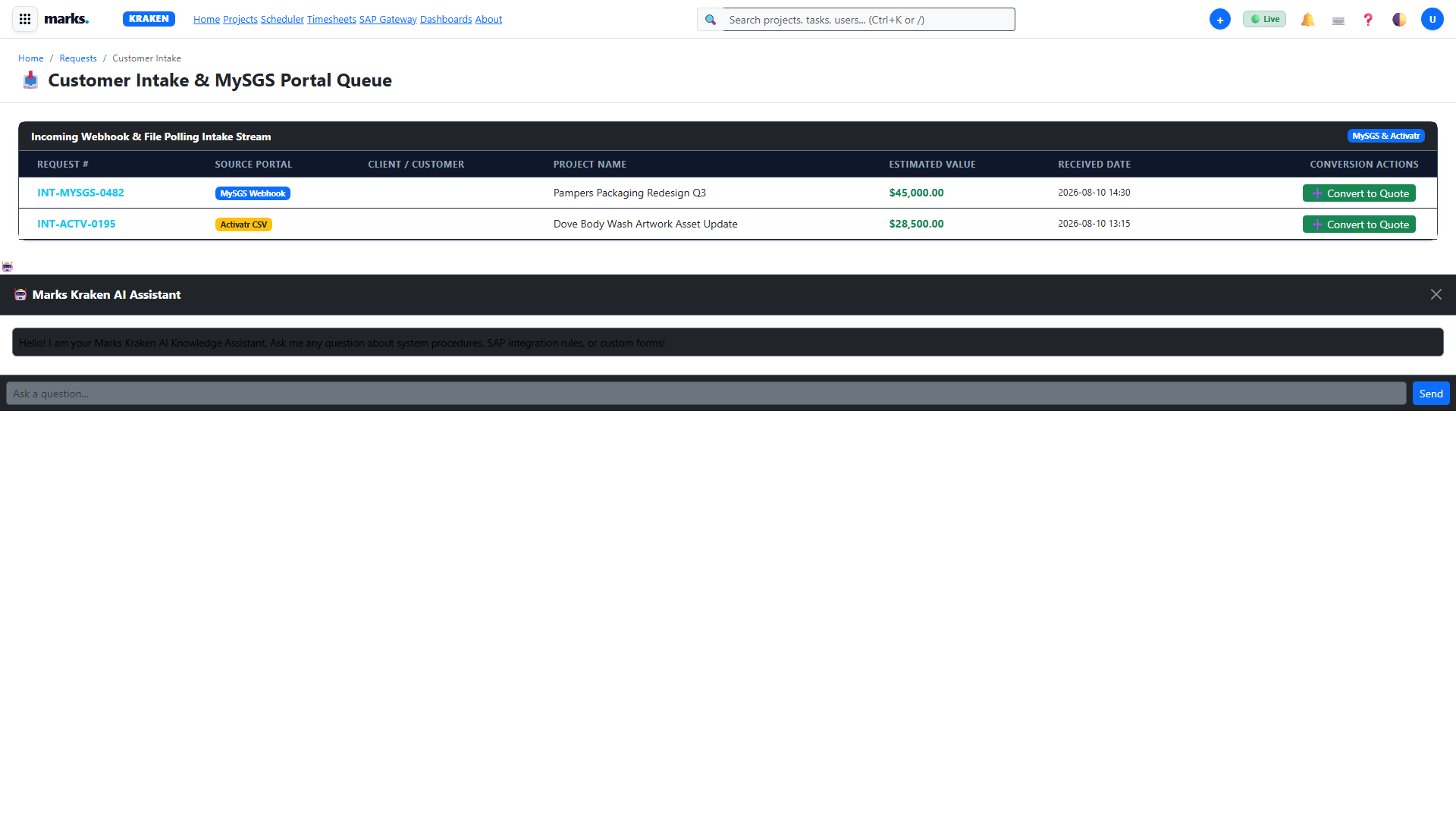
The Client Intake Portal (/intake.html) enables brand brand owners, packaging directors, and client relationship leads to submit structured production briefs.
Standard Operating Procedure: Converting a Brief into a Project
- 1 Navigate to Intake & Requests from the top navigation bar or Omnisearch.
- 2 Locate the brief in the queue and verify mandatory fields: Client Name, Brand Code, Target In-Store Date, and Die-line specs.
- 3 Click . The system automatically instantiates a Workfront-compatible project with pre-populated milestone templates.
Commercial Quoting & Multi-Currency Modeling
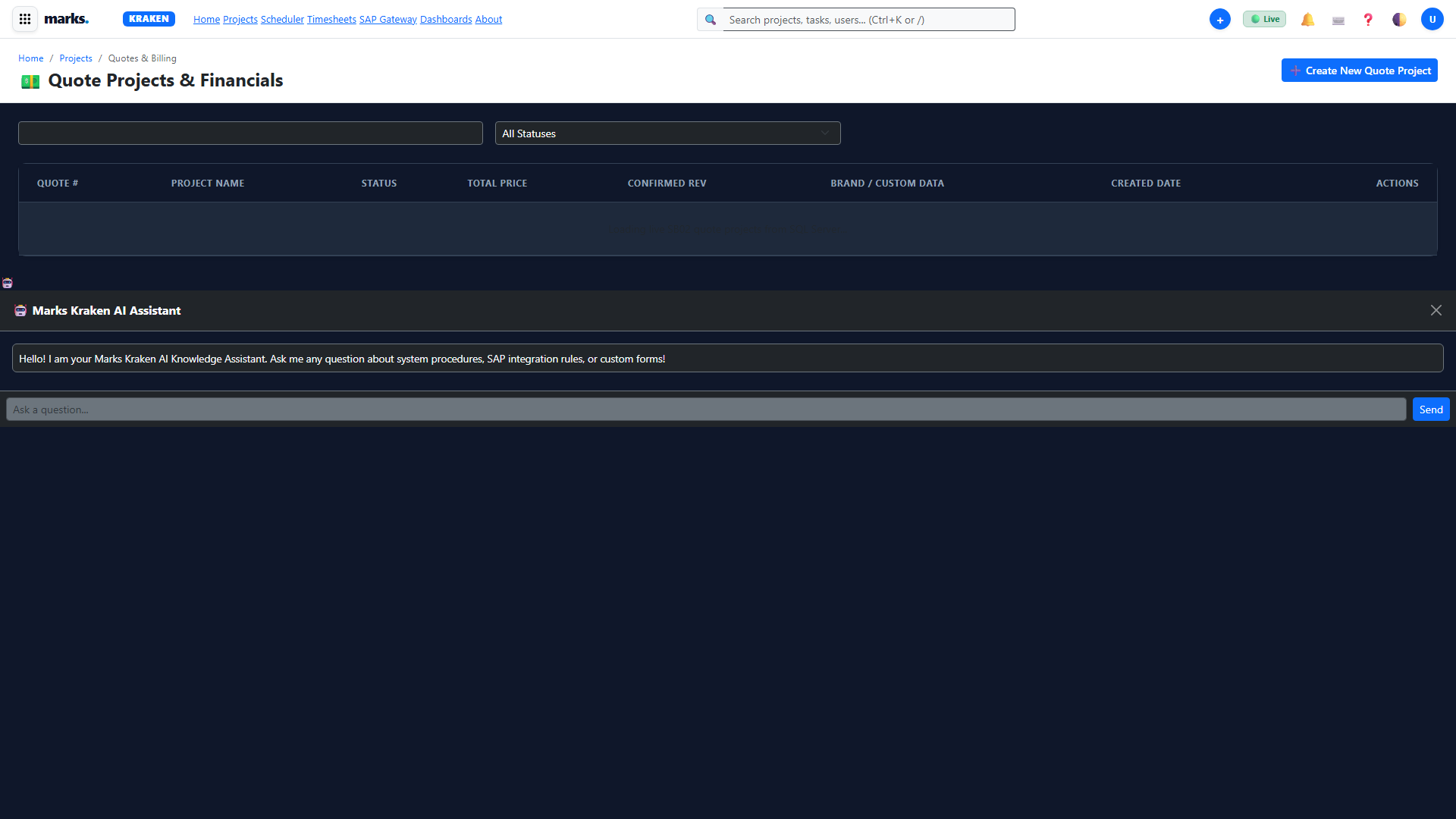
Commercial teams build precise client proposals using tiered rate cards and live multi-currency exchange rates (/quotes.html).
Field Dictionary: Commercial Quoting
| Field Name | Type / Format | Validation / Constraints | Business Description |
|---|---|---|---|
| Quote Currency | Dropdown (USD, EUR, GBP) | Required | The contracted invoicing currency for the client agreement. Live exchange rates adjust target totals dynamically. |
| Rate Card | Select | Required | Specifies the hourly rates for creative roles (Design, Artworking, Retouching, QA). |
| Target Margin % | Numeric (0 - 100) | Default: 35.0% | Studio profitability threshold. Prompts warning if discounted below minimum corporate margin. |
Triton Project Workspace & 25-Tab Navigation
The Triton Project Workspace (/project-workspace.html?id=...) is the central command deck for managing individual packaging projects across Marks studios.
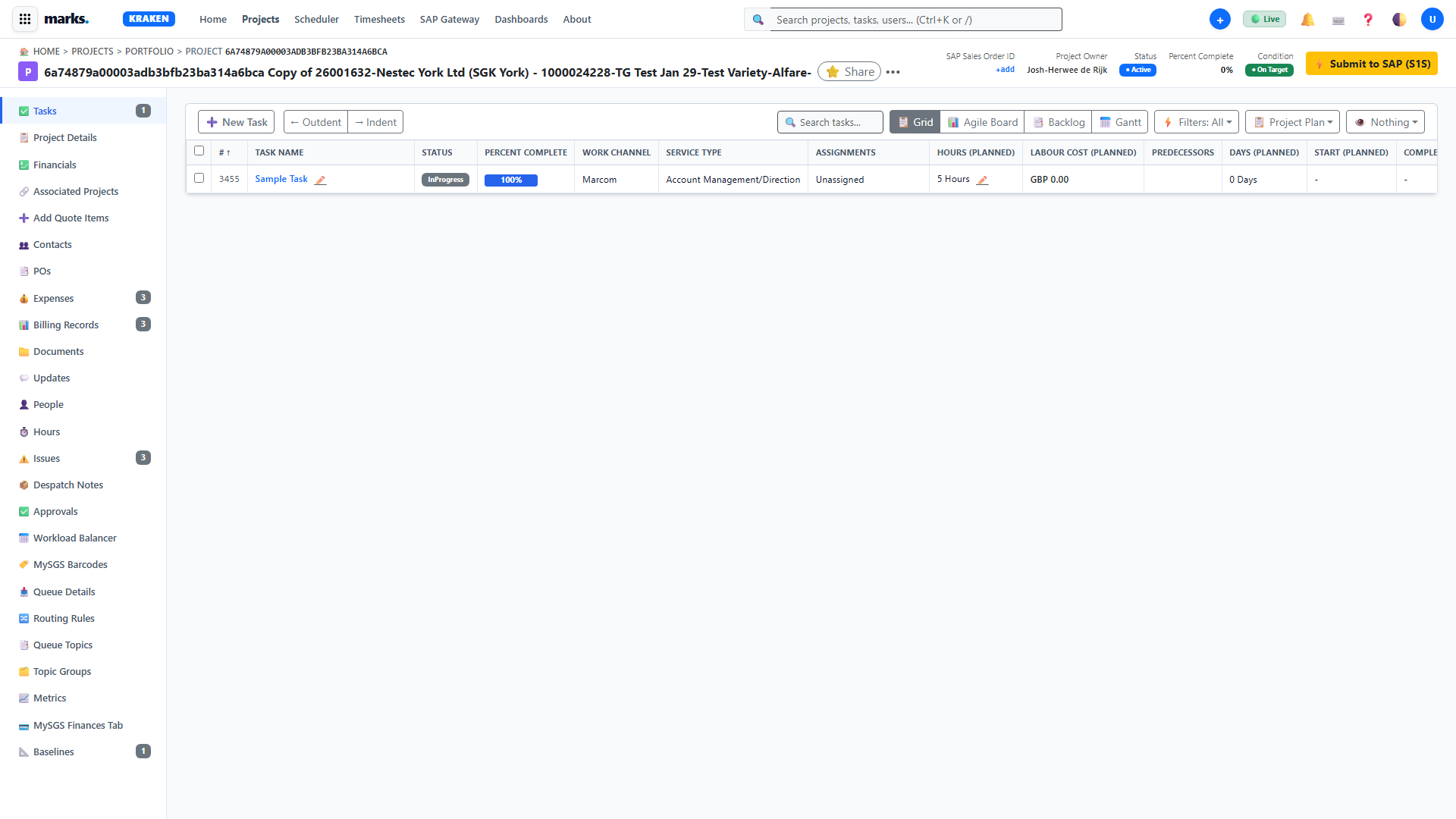
The 25 Operational Tabs of Triton
Each tab provides a focused operational lens onto project data without full page reloads:
Work Breakdown Structure (WBS), CPM & Baselines
Kraken's high-speed WBS grid combines direct inline editing, multi-select bulk operations, automated Critical Path Method (CPM) math, and immutable baseline governance.
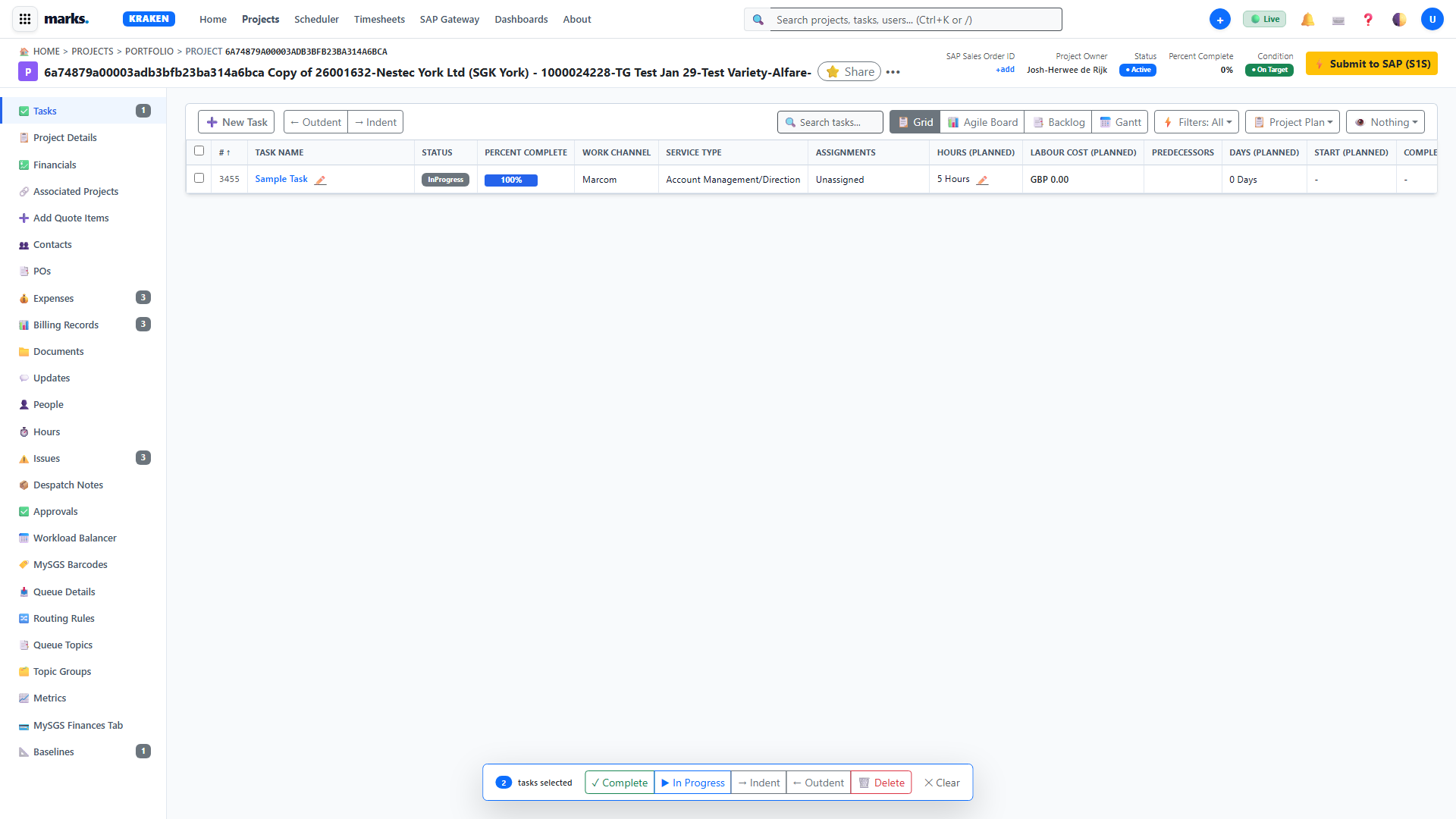
Critical Path Method (CPM) Forward & Backward Pass
When you click , the server executes a topological sort of the directed acyclic graph of task predecessors:
- Forward Pass: Computes Earliest Start Time ($ES$) and Earliest Finish Time ($EF$) for all tasks.
- Backward Pass: Computes Latest Finish Time ($LF$) and Latest Start Time ($LS$).
- Total Float (Slack): Calculated as $TF = LS - ES = LF - EF$. Tasks where $TF = 0$ are marked with the red
CRITICALbadge. Any delay in these tasks directly postpones the project release date.
Baseline V0 Snapshots
Before production commences, project managers click . This records the planned start, planned finish, duration, and estimated hours into ProjectBaselines and TaskBaselines tables. All subsequent schedule variance is displayed against this baseline.
Task Workspace & Creative Proofing
The Task Workspace (/task-workspace.html?id=...) is the execution environment for specialists (Artworkers, Retouchers, Designers).
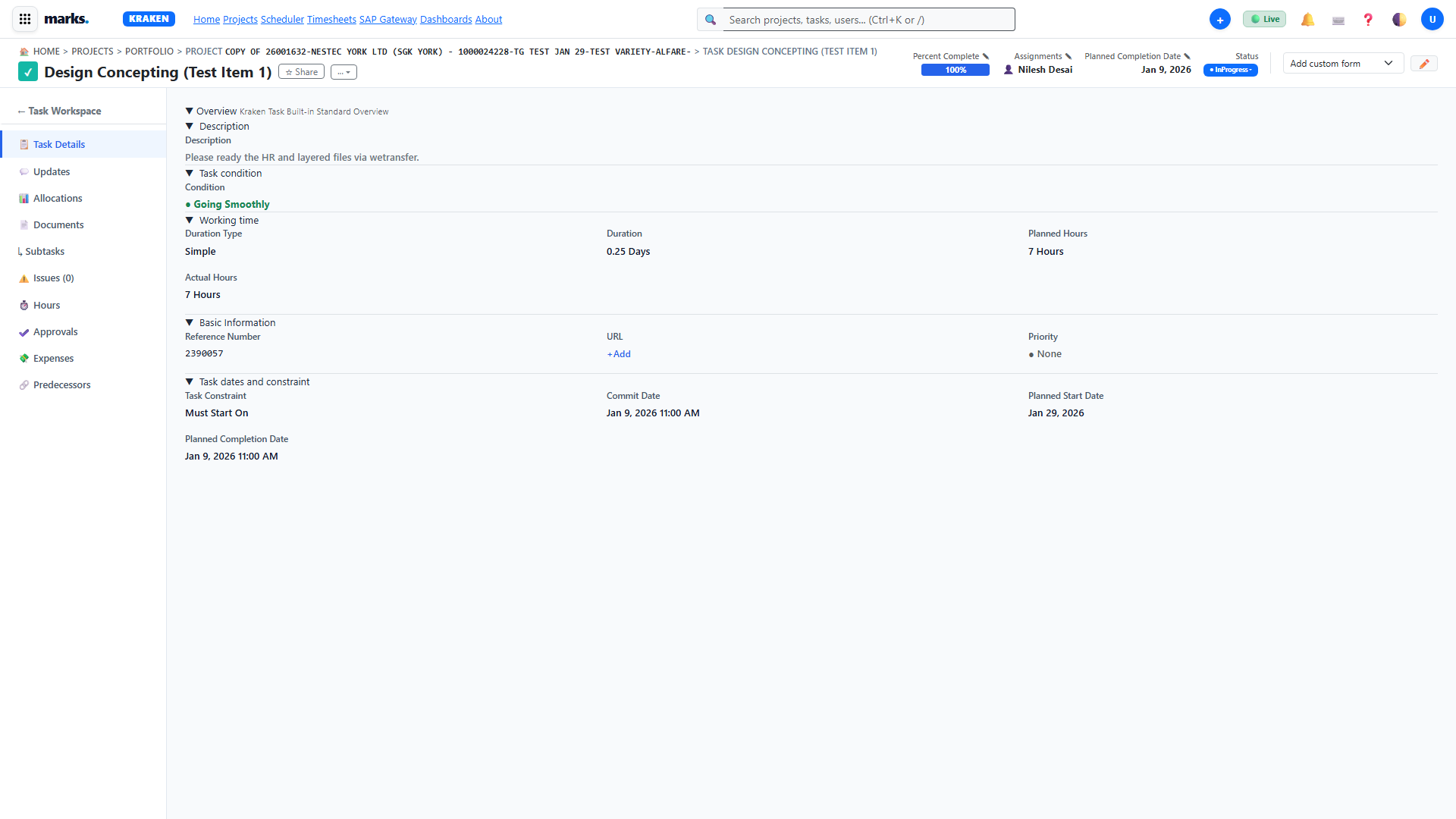
Core Actions Available in Task Workspace
- Status Cycling: Click the status badge to cycle from Not Started ➔ In Progress ➔ Pending Review ➔ Complete.
- Predecessor Linking: View predecessor task status. If predecessors are incomplete, warning flags alert the specialist.
- Asset Proofing: Upload high-res PDF or TIFF files to trigger automated die-line and color profile checks.
Calypso Resource Scheduler & Capacity Heatmaps
The Calypso Resource Scheduler (/modern-scheduler.html) enables studio traffic managers and resource directors to balance workloads across regional studios.
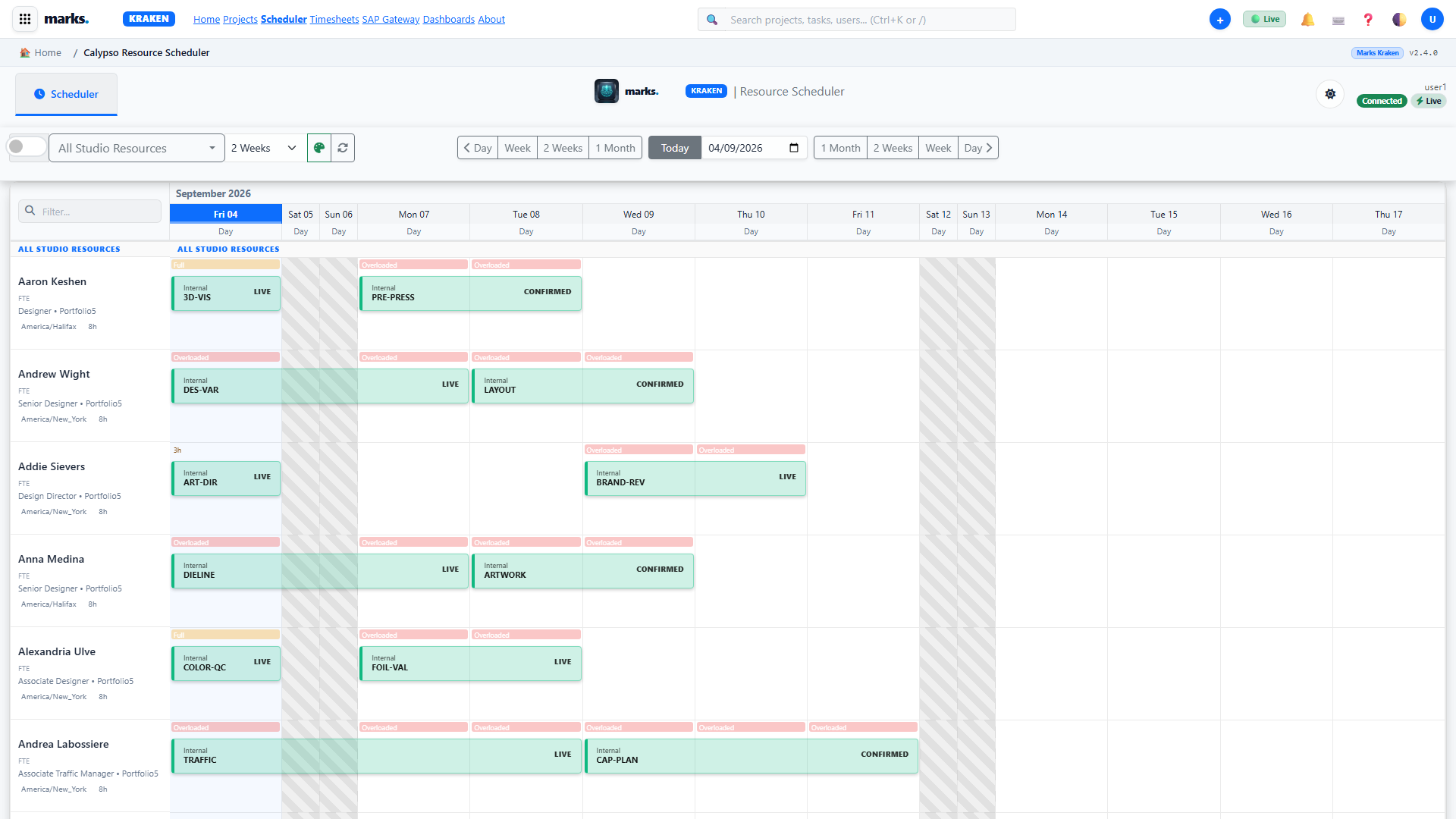
Capacity Thresholds & Color Coding
- 0% - 80% Optimal studio availability.
- 81% - 100% Fully booked; caution advised before scheduling additional deliverables.
- > 100% Over-allocated. Triggers alert badges and highlights specialist row in red.
Timesheets, Labor Tracking & 1-Click Quick Log
Kraken re-engineers labor logging to eliminate administrative friction for creative specialists (/timesheets.html).
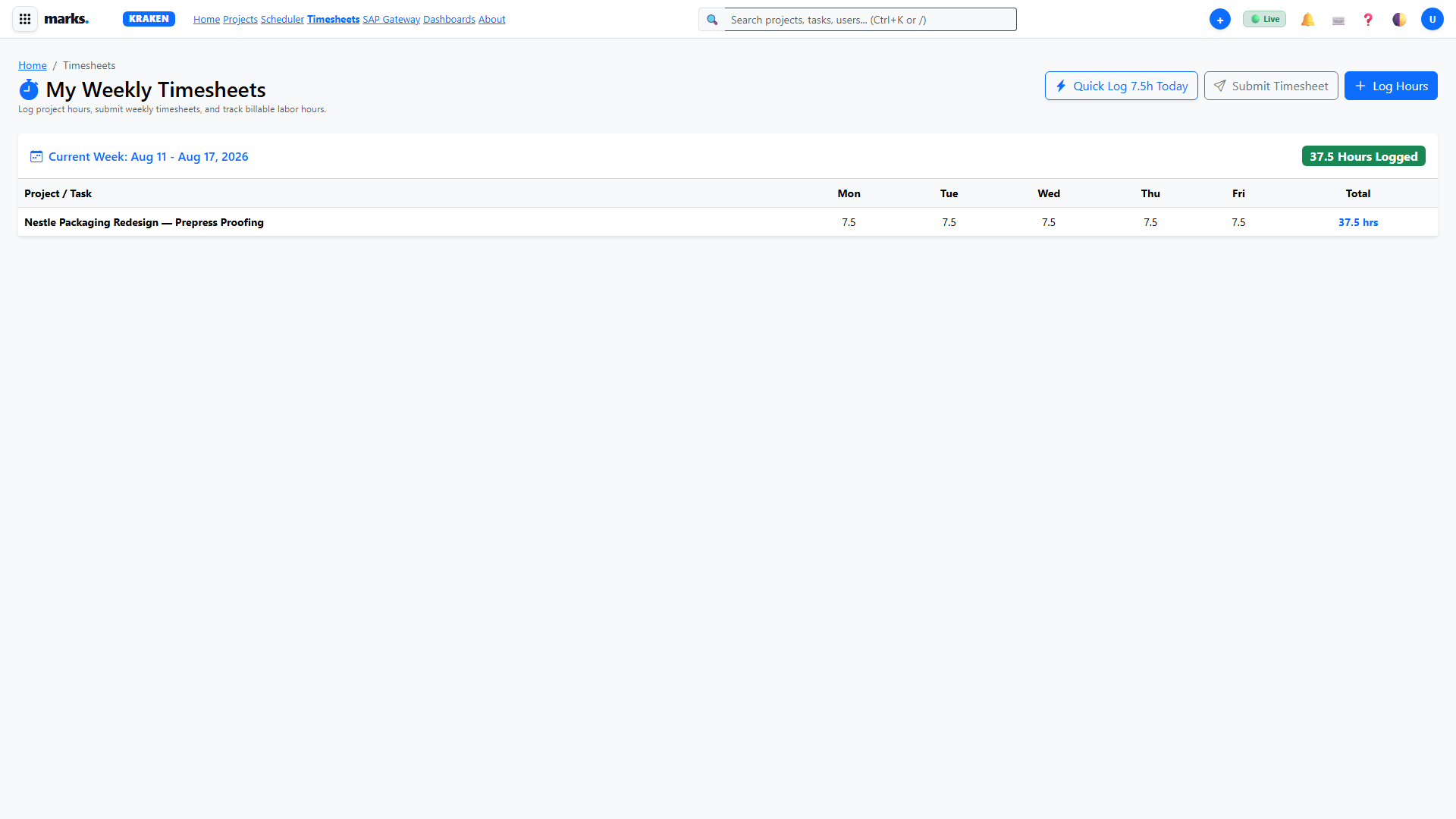
⚡ The 1-Click Quick Log (7.5h) Innovation
Instead of manually opening dialogs and typing numbers into individual cells, specialists record their entire standard studio day with a single click. Kraken automatically allocates 7.5 billable hours to your active tasks/project, writes database records via pure ADO.NET, updates the weekly total badge, and displays an instant non-blocking confirmation toast in under 150ms.
| Access Location | Trigger Action | Keyboard Shortcut | Operational Behavior |
|---|---|---|---|
Weekly Timesheets Console (/timesheets.html) |
Click green ⚡ Quick Log 7.5h Today button |
Q | Evenly distributes 7.5h across active in-progress tasks for today. |
Triton Project Workspace (/project-workspace.html) |
Navigate to ⏱️ Hours tab → click ⚡ 1-Click Quick Log (7.5h) |
Q | Logs 7.5h directly to the currently open project with status SUBMITTED. |
Task Workspace & Details (/task-workspace.html) |
Click ⚡ 1-Click Quick Log (7.5h) in the card header |
— | Commits 7.5h directly to the active task ID without any form inputs. |
| Universal Top Navigation Bar (Any page) | Click ➕ Quick Create → ⚡ 1-Click Quick Log (7.5h) |
— | Instant shortcut accessible anywhere across all 64 application pages. |
Leviathan SAP Enterprise Gateway
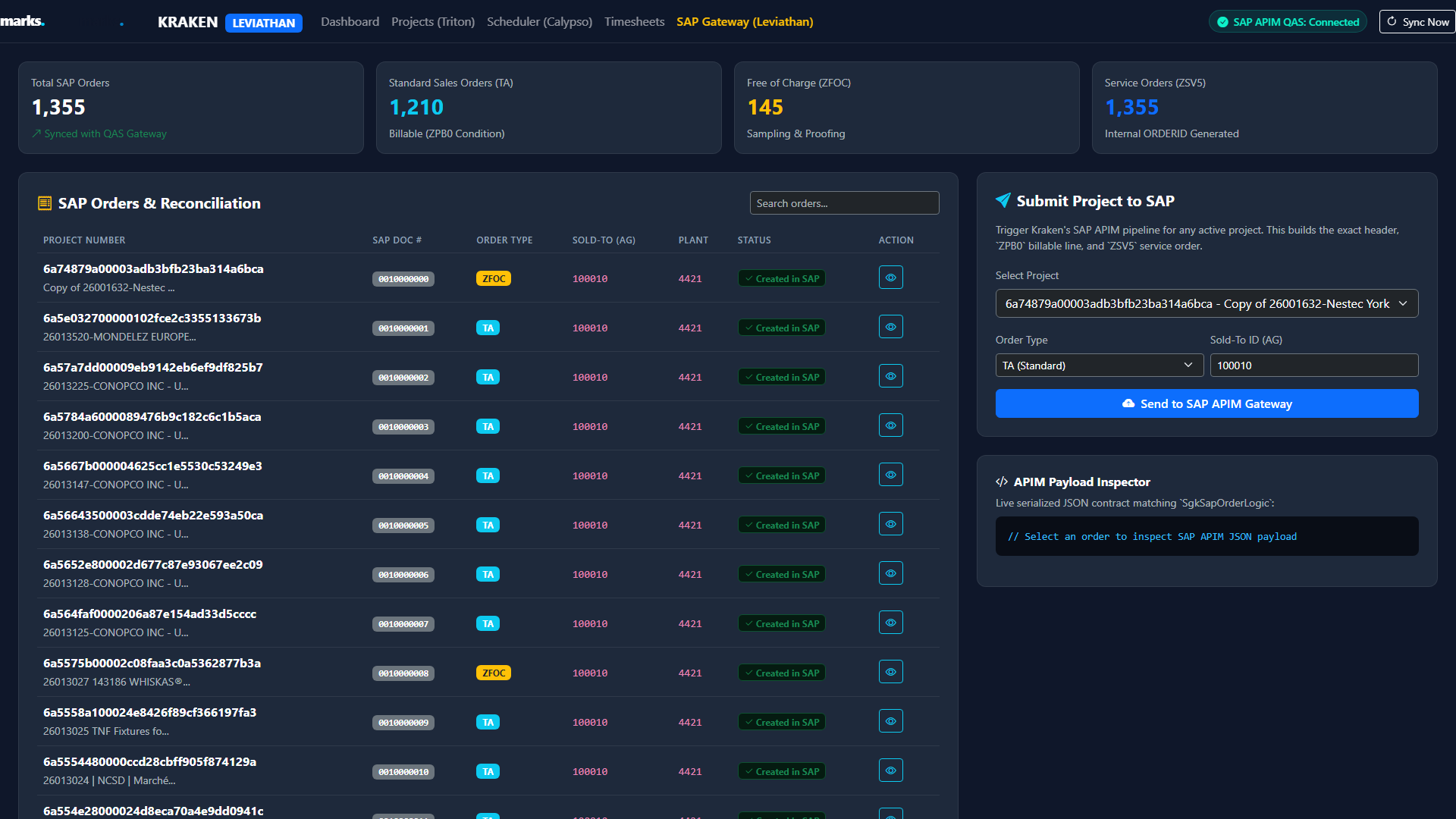
Leviathan (/sap-gateway.html) is the bidirectional integration pipeline bridging Marks Kraken operational projects with SAP APIM QAS/PRD.
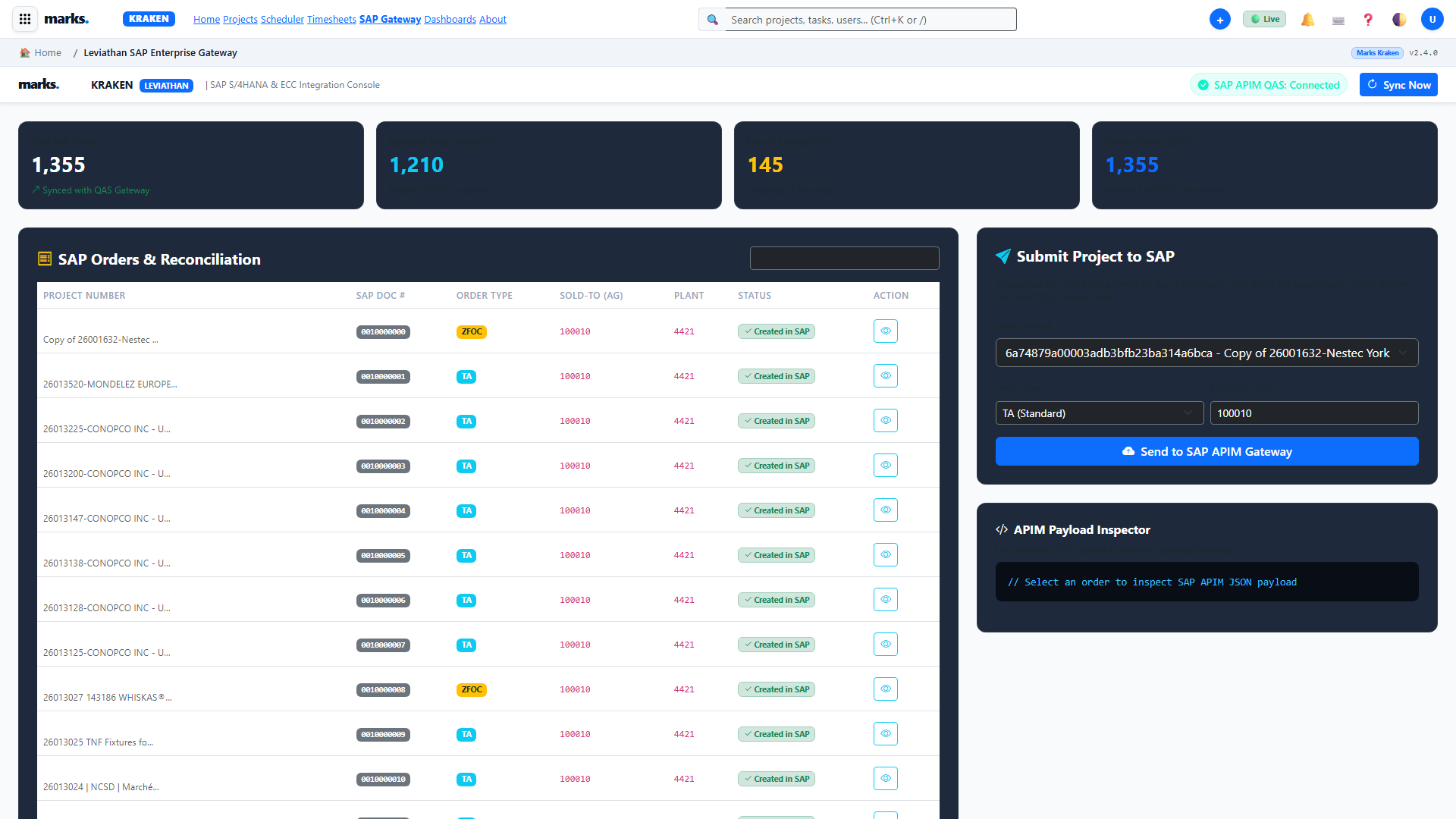
SAP Document Types Managed by Leviathan
| SAP Doc Type | Description | Condition Type | Workflow Impact |
|---|---|---|---|
| TA | Standard Sales Order | ZPB0 |
Commercial billable jobs. Linked to milestone billing events. |
| ZFOC | Free of Charge Order | N/A | Zero-value orders for proofs, press trials, and exploratory artwork. |
| ZSV5 | Service Order | ORDERID |
Internal cost tracking and external contractor settlement. |
SAP Octopus Financials & Milestone Invoicing
The Octopus module (/sap-octopus.html) manages commercial invoicing schedules and automated billing previews.
Automated Milestone Invoicing Protocol
When a project milestone (e.g. Final Die-line Approved) reaches 100% completion in the WBS, Kraken generates an invoice preview via GET /api/projects/{id}/invoice-preview:
- 1 Verifies all deliverable tasks associated with the milestone are signed off.
- 2 Pulls contract pricing and applies the active exchange rate if billing in foreign currency (EUR/USD).
- 3 Prepares SAP draft payload including Sold-To (AG) and Tax Condition codes for finance review.
Catalyst Visual SVG Workflow Engine
Catalyst (/workflow-canvas.html) is an administrative visual designer allowing process engineers to configure custom automation graphs.
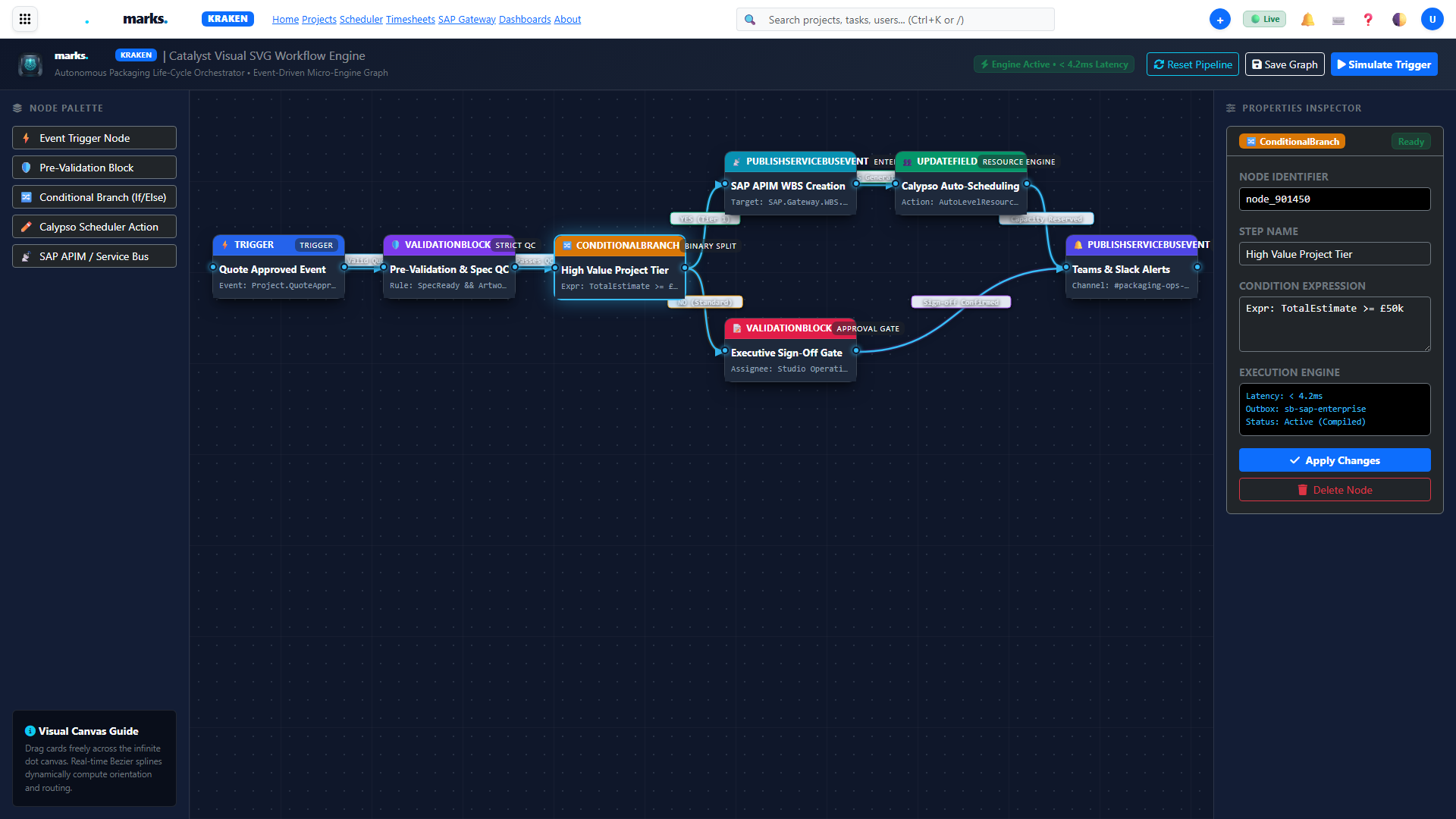
Supported Graph Node Types
⚡ Event Trigger Node
Listens for lifecycle events (e.g.,ProjectCreated, TaskStatusChanged, BaselineCaptured).
🛡️ Pre-Validation Block
Asserts conditions (e.g., must have approved brief, all timesheets logged) before proceeding.🔀 Conditional Branch (If/Else)
Evaluates expressions and splits the execution path based on job parameters.📡 Service Bus Publisher
Broadcasts enterprise integration events to Azure Service Bus or Leviathan SAP gateway.Marks Troubleshooting, Diagnostics & Self-Healing
The Marks Operations Troubleshooting Console (/marks-troubleshooting.html) gives system administrators and support engineers deep visibility into runtime health.
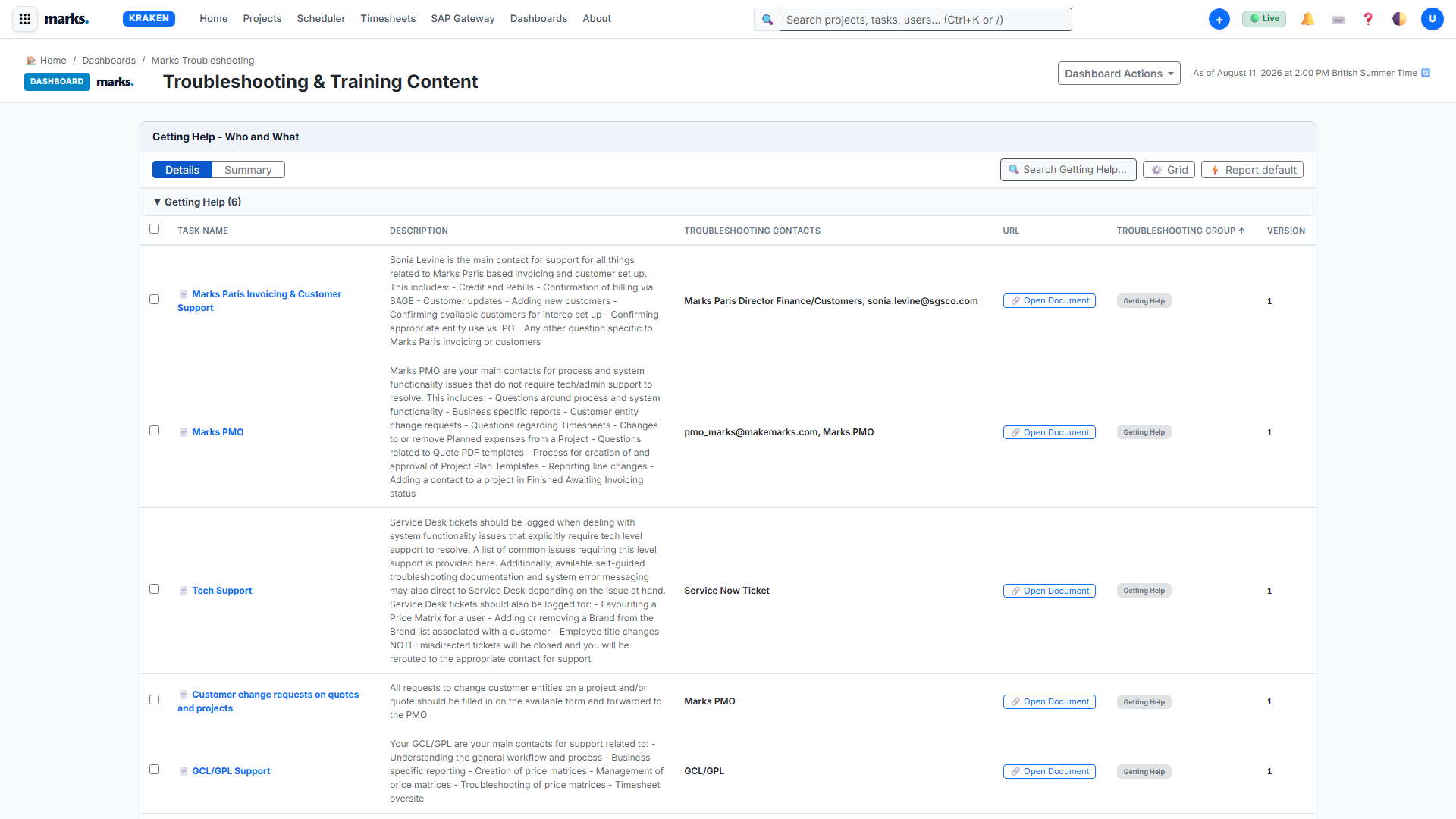
Automated Diagnostic Test Suite
- Azure SQL Connection & Pool Health: Measures round-trip query latency and active connection pool utilization.
- SAP APIM Gateway Ping: Tests HTTP status and TLS certificate validity against QAS endpoint.
- Poison Message Quarantine: Inspects dead-letter queues and allows safe replay of failed messages.
Security Administration, RBAC & MFA
Enterprise governance is enforced via role-based access control (RBAC), multi-factor authentication, and immutable audit trails (/security-admin.html).
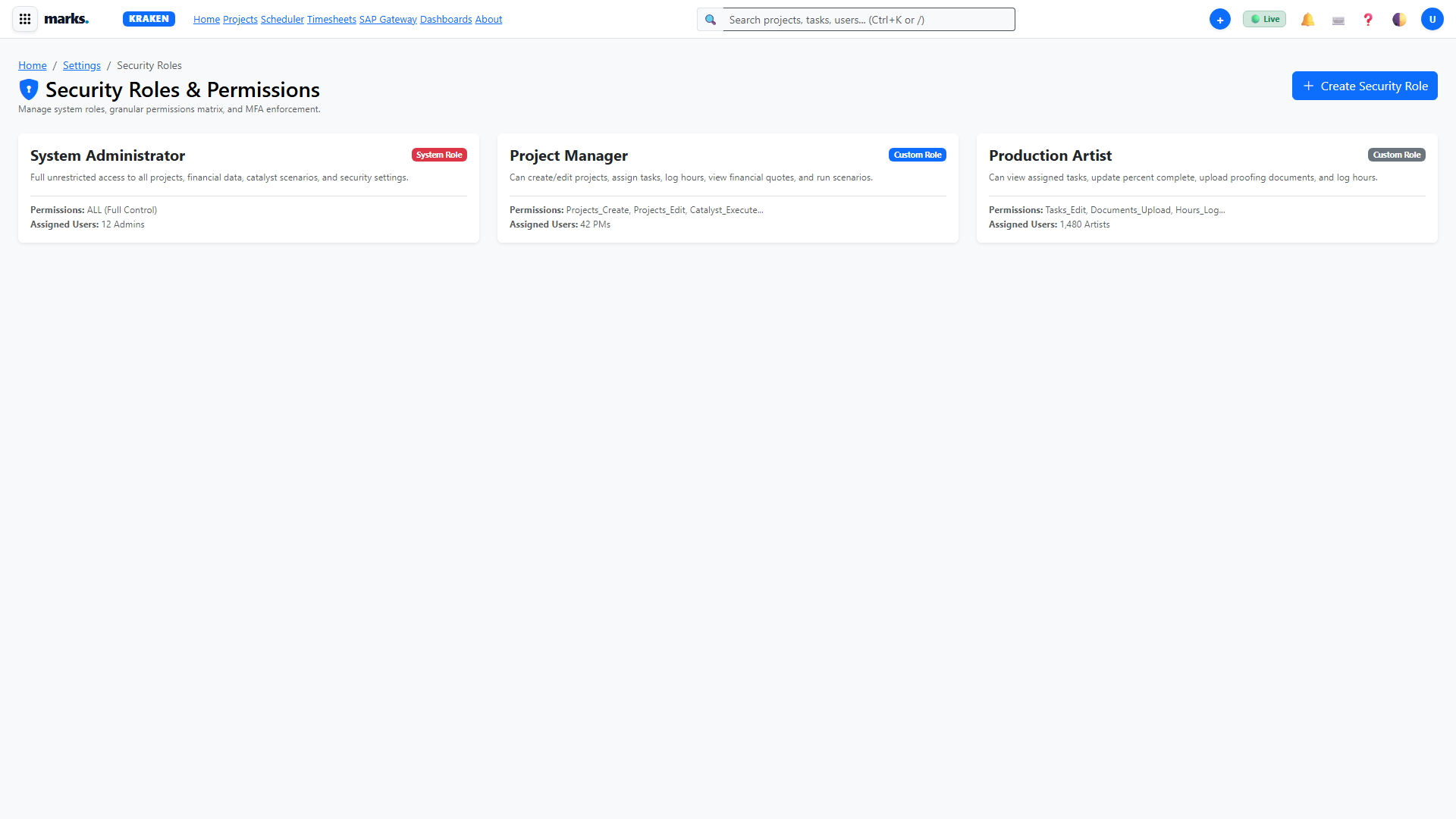
Standard Security Roles Matrix
| Role | WBS & Projects | Scheduling | Financials & Quotes | SAP Sync |
|---|---|---|---|---|
| System Administrator | Full | Full | Full | Full |
| Project Manager | Full | Bookings | View Only | View Status |
| Studio Specialist | Assigned Tasks | View Own | No Access | No Access |
| Commercial Finance | View Projects | View Capacity | Full Edit | Invoice Sync |
Complete Keyboard Shortcuts Cheat Sheet
Designed for high-speed studio production with zero mouse dependency:
Global Navigation
WBS & Timesheets
Extensive Step-by-Step How-To Guides
Procedural recipes covering core daily workflows for creative production specialists, project managers, and studio leadership.
⚡ Recipe 1: How to Log Time with 1-Click (The 7.5h Quick Log)
Kraken features an automated 1-Click labor recording system that bypasses modal dialogs and manual keystrokes. Specialists can record their daily 7.5 billable packaging hours instantly.
Method 1: From Weekly Timesheets (/timesheets.html)
- Navigate to
/timesheets.html. - Click the prominent green ⚡ Quick Log 7.5h Today button in the top-right header, or simply press hotkey Q.
- Kraken queries your active assignments, commits 7.5h to Azure SQL via pure ADO.NET, and updates your weekly badge to 37.5 Hours Logged.
Method 2: Inside Triton Project Workspace (/project-workspace.html)
- Open your active packaging project workspace.
- Click the ⏱️ Hours tab on the left sidebar.
- Click the green ⚡ 1-Click Quick Log (7.5h) button or press Q.
- The labor record appears immediately in the table with status
Submitted.
📦 Recipe 2: Delivering a Packaging Project from Intake to SAP Billing
- Intake: Accept client packaging request in
/requests.htmland click Convert to Triton Project. - WBS Scheduling: Define tasks in
project-workspace.html(Artwork, Prepress, GMG Proofing) and click Compute CPM. - Baseline Freeze: Navigate to the Baselines tab and click Capture New Baseline to record Baseline V0.
- Proofing: Upload GMG proofs on the Documents tab; inspect via Document Inspector Drawer.
- SAP Sync: Click ⚡ Submit to SAP (S1S) to dispatch the order through Leviathan APIM.
📋 Recipe 3: Managing Dynamic Custom Forms & Technical Specs
Open the 📋 Project Details tab in Triton. All categories (e.g. Brand Specifications, Print Processes, Die-line References) load dynamically. Click any cell to edit; edits auto-save to dbo.ProjectCustomFormValues upon blur.
📅 Recipe 4: Studio Specialist Capacity Balancing in Calypso
Open /modern-scheduler.html. Review capacity heatmaps across regional studios. Drag and drop bookings along the timeline to rebalance specialist allocations and eliminate bottlenecks.
🔄 Recipe 5: Synchronizing Orders with Leviathan SAP Gateway
From any project workspace, click ⚡ Submit to SAP (S1S). Monitor order creation in /sap-gateway.html. The Outbox processor dispatches order lines to SAP APIM and updates the synchronization status in real-time.