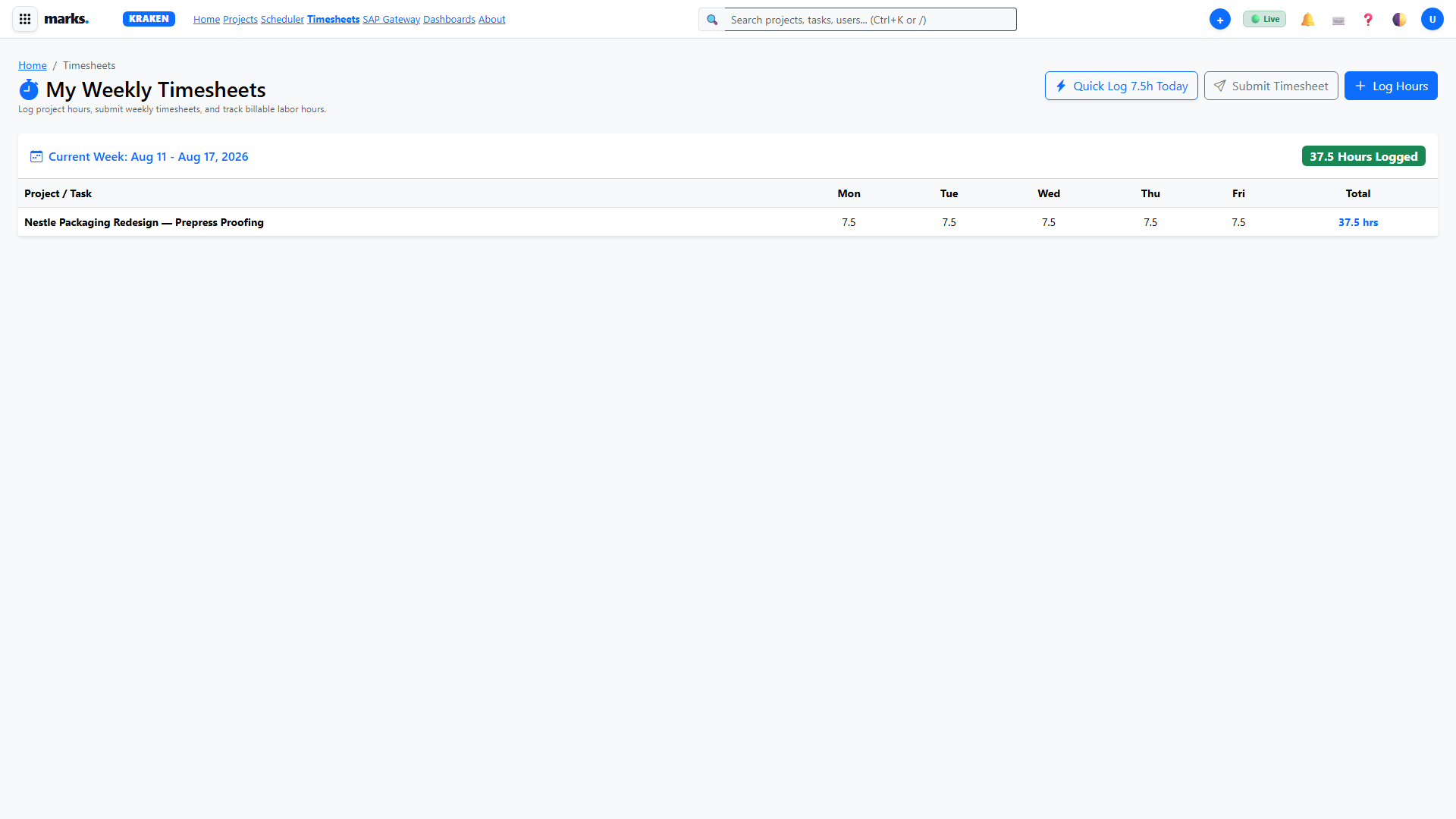
⚡ How to Log Time with 1-Click (7.5h Quick Log)
08. Timesheets & Hour Entry Approvals
HD Video Module 08 • 3:30 • 720p HD
In legacy systems (such as Workfront), specialists had to open individual timesheets, find task rows, locate today's date column, type numbers (e.g. 7.5), and click submit. Marks Kraken eliminates this entire ordeal with the 1-Click Quick Log innovation.
What happens in that 1-Click?
When you click ⚡ Quick Log 7.5h or press Q, Kraken reads your active project assignments, writes database records via pure ADO.NET directly into Azure SQL (dbo.TimesheetEntries), sets approval status to SUBMITTED, updates your weekly hours badge, and displays a non-blocking toast confirmation—all in under 150ms with zero typing and zero modal forms.
Three Ways to Trigger 1-Click Time Logging:
/timesheets.html)Open your weekly timesheet. At the top-right header, click the bright green button Quick Log 7.5h Today, or simply press the keyboard shortcut Q.
project-workspace.html)Navigate to any project workspace. Click on the ⏱️ Hours tab on the left sidebar. In the header bar, click ⚡ 1-Click Quick Log (7.5h) or +1.5h. It instantly commits the labor directly to this active project.
task-workspace.html / task-details.html)While inspecting any packaging task or artwork checklist, click the ⚡ 1-Click Quick Log (7.5h) button right in the task header. The entry is recorded specifically against that task ID.
Click the ➕ Quick Create button in the top navigation header on any page, then click ⚡ 1-Click Quick Log (7.5h).
Technical Persistence Details
- Backend Endpoint:
POST /api/timesheets/log-hours - Database Target: Azure SQL
Workfront_SB01→dbo.TimesheetEntries - Execution: Pure ADO.NET
SqlCommandwith parameterized inputs (zero EF Core / zero Dapper) - Default Standard Workday: 7.50 billable packaging hours
📦 How to Create & Deliver a Brand Packaging Project
02. Projects Directory & Lifecycle
HD Video Module 02 • 4:30 • 720p HD
Open /requests.html. Review incoming brand packaging briefs. Click Approve & Create Project. Kraken will automatically populate the Triton project skeleton.
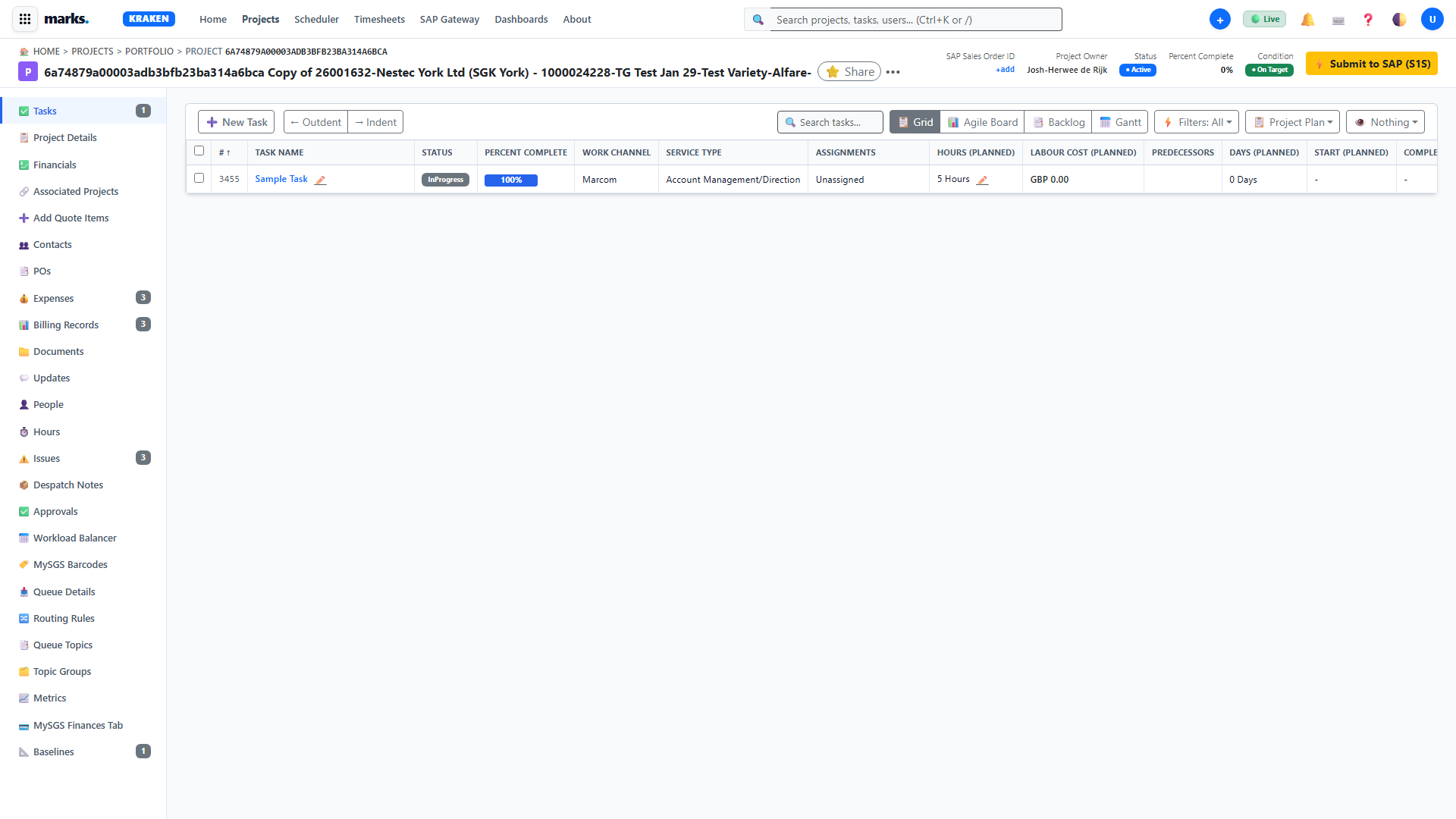
In project-workspace.html, navigate to the ✅ Tasks tab. Add packaging tasks (e.g. Master artwork prep, color separation, dieline check, GMG sign-off). Click Compute CPM to calculate the Critical Path and zero-float milestones.
Navigate to the 📐 Baselines tab and click Capture New Baseline. This freezes planned start/finish dates, durations, and costs for variance tracking against actual execution.
On the 📁 Documents tab, drag and drop client dielines and GMG color profiles. Click any row to slide out the Document Inspector Drawer to verify version v3.0 Signed GMG Proof.
Click the top header button ⚡ Submit to SAP (S1S). Kraken dispatches the payload to the Outbox processor, creates the Sales Order in SAP APIM, and receives order confirmation.
📋 How to Manage Dynamic Custom Forms & Technical Specs
03. Project Workspace — 25 Triton Tabs & Forms
HD Video Module 03 • 6:15 • 720p HDKraken replaces rigid legacy forms with dynamic, schema-driven packaging parameter grids partitioned into Categories and Subgroups.
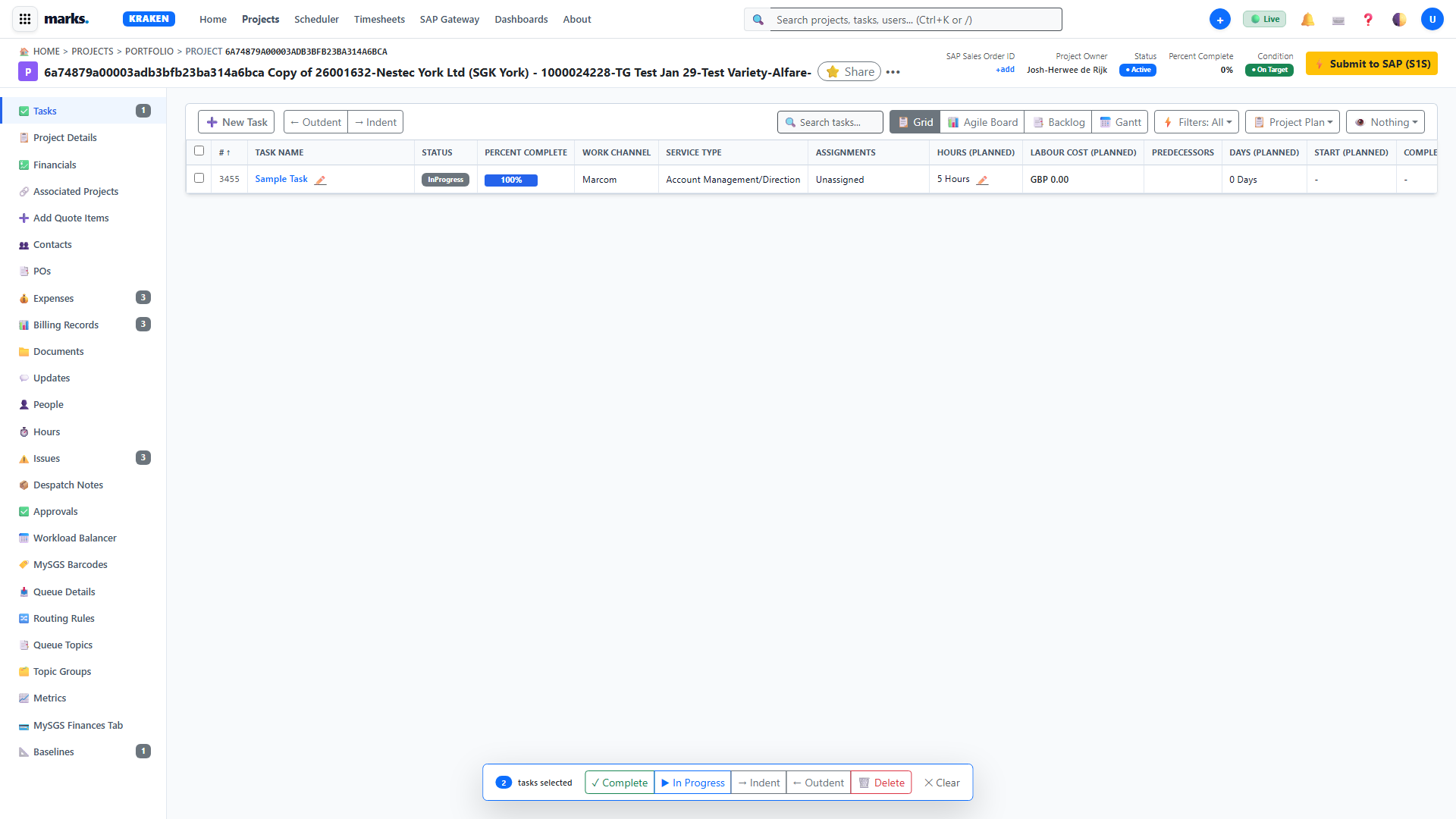
Open the 📋 Project Details tab in the workspace. Kraken queries /api/projects/{id}/details and renders all attached categories (e.g., Brand Packaging Specifications, Prepress Technical Parameters).
Click any input field (text, select dropdown, number, or checkbox). When you change the value or press Tab, Kraken sends an immediate POST /api/projects/{id}/custom-form-values upserting the parameter directly in Azure SQL table dbo.ProjectCustomFormValues.
🔍 How to Review, Proof & Version Packaging Artwork
13. Documents & Proofing Bridge
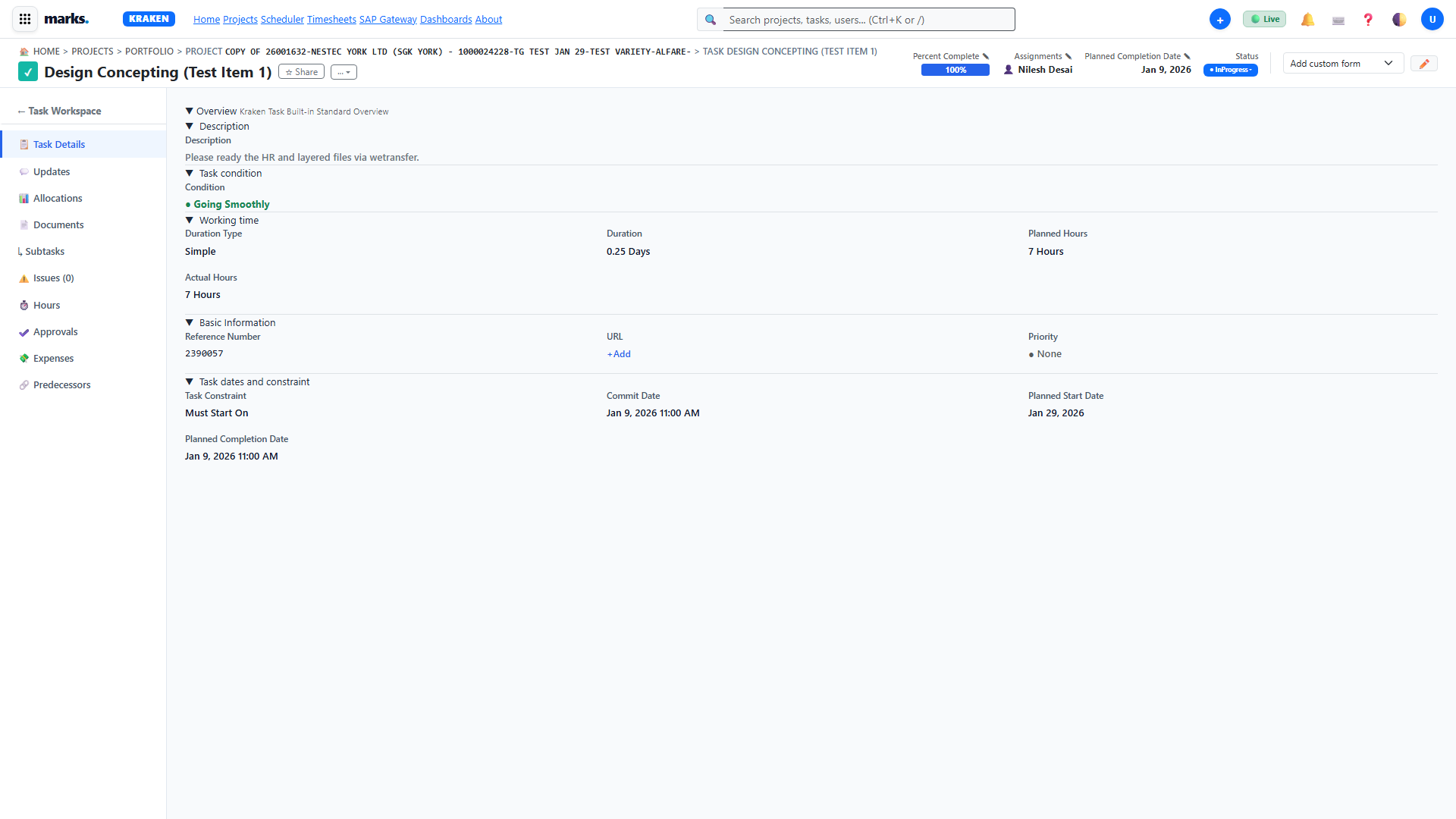
HD Video Module 13 • 4:25 • 720p HDNavigate to the 📁 Documents tab. View all master artwork, dielines, CAD files, and signed proofs.
Click on any document row (such as Cadbury_Delights_LHF_Master_Artwork_v3.ai). The right-hand Document Inspector Drawer slides out displaying file metadata, author, version, and preview buttons.
Use the Download button to download the asset stream via /api/projects/{id}/documents/{docId}/download, or delete outdated working copies.
📅 How to Balance Studio Capacity in Calypso Resource Scheduler
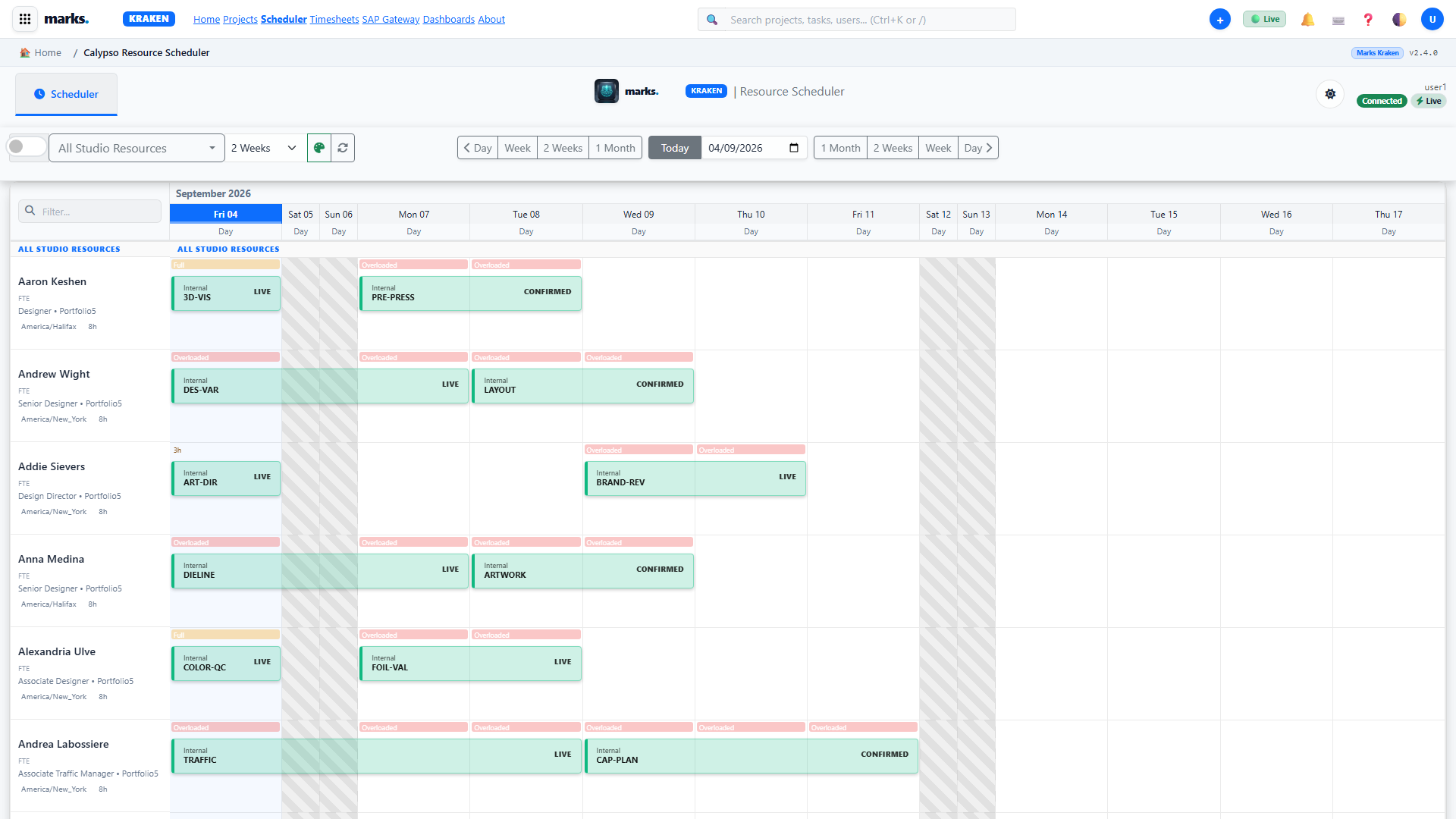
04. Tasks & Modern / Resource Schedulers
HD Video Module 04 • 5:20 • 720p HD
Open /modern-scheduler.html. Rows represent specialists (Retouchers, Artworkers, QC). Each specialist has a standard daily capacity limit of 7.5 hours.
Click and drag booking blocks between team members or along the timeline to balance workload and prevent bottleneck over-allocations.
🔄 How to Synchronize Orders with Leviathan SAP Gateway
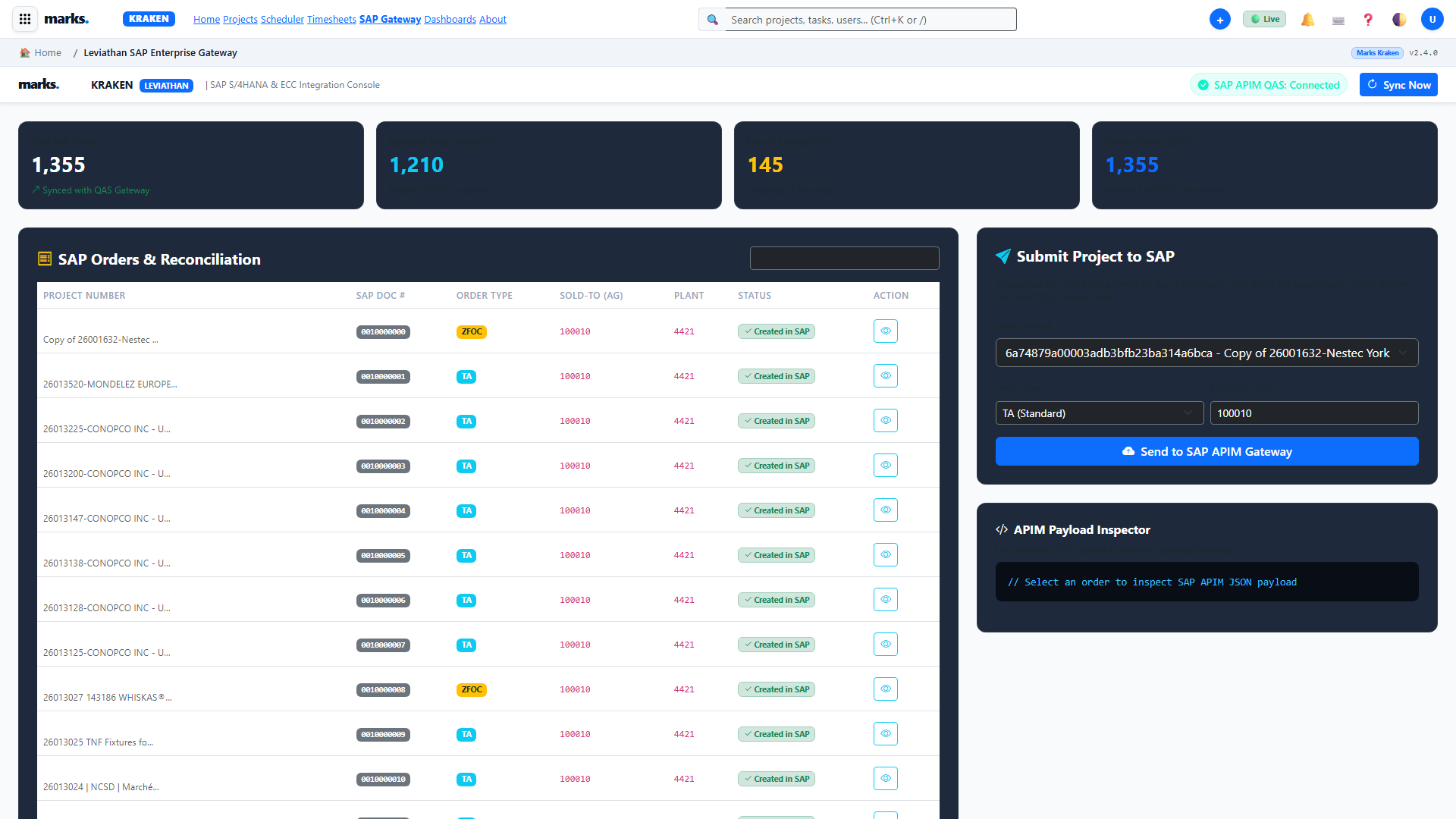
12. SAP Gateway & Octopus Linking
HD Video Module 12 • 5:50 • 720p HD
From project-workspace.html, click ⚡ Submit to SAP (S1S). Kraken packages order lines and dispatches them to /api/sap/submit-order.
Open /sap-gateway.html to verify real-time status. The background Outbox Processor checks responses from SAP APIM and marks orders synchronized.
⚡ How to Design & Execute Visual Workflows in Catalyst
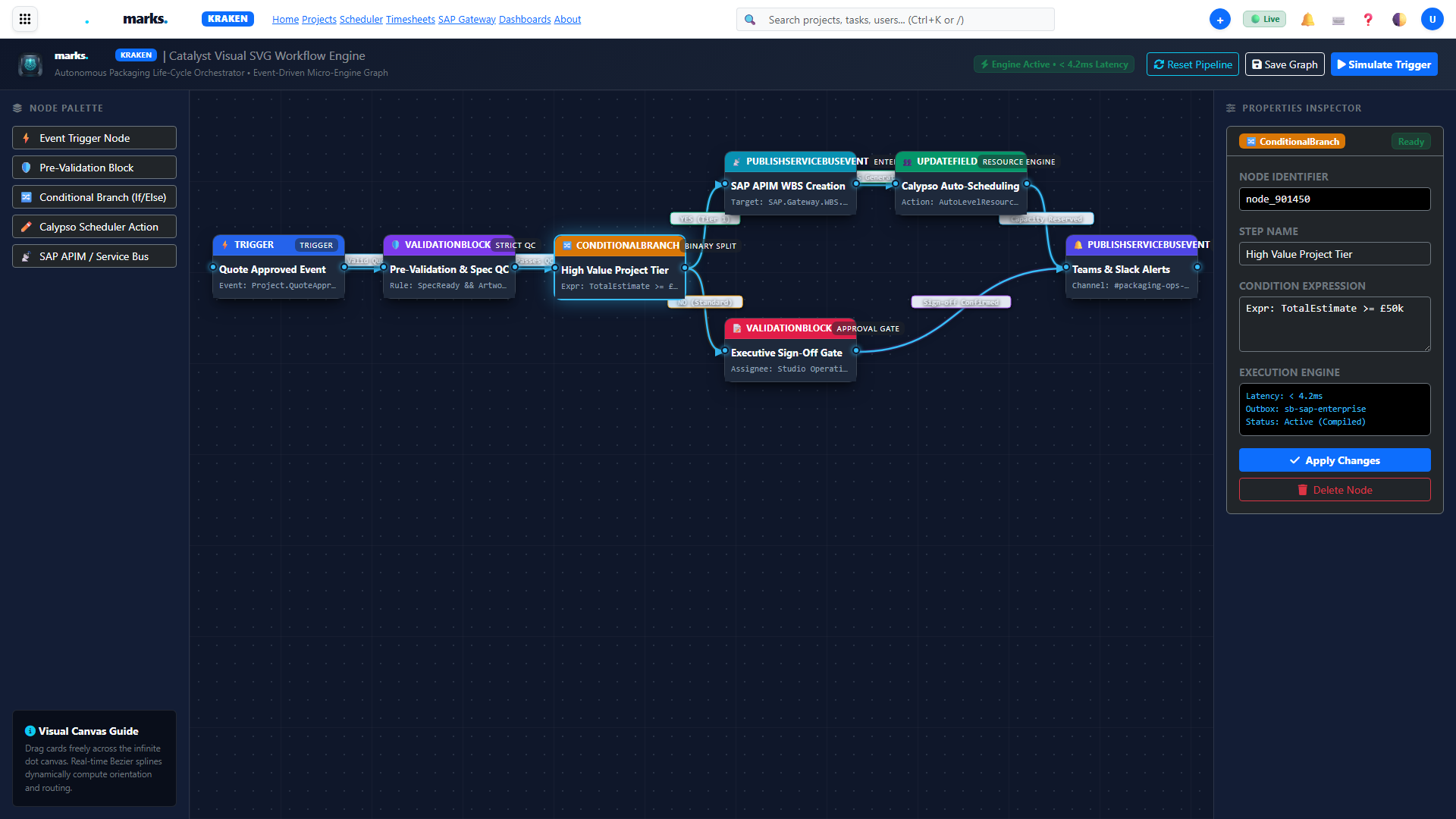
10. Catalyst Scenarios & DAG Canvas
HD Video Module 10 • 6:40 • 720p HD
Open /catalyst.html and click Create Scenario. Enter a workflow name (e.g. Automated GMG Proof Approval Handoff).
Connect webhook triggers, validation gates, and SAP dispatch actions on the visual canvas. Click Run Once to test live simulation.
💱 How to Generate Multi-Currency Commercial Quotes with Price Matrix
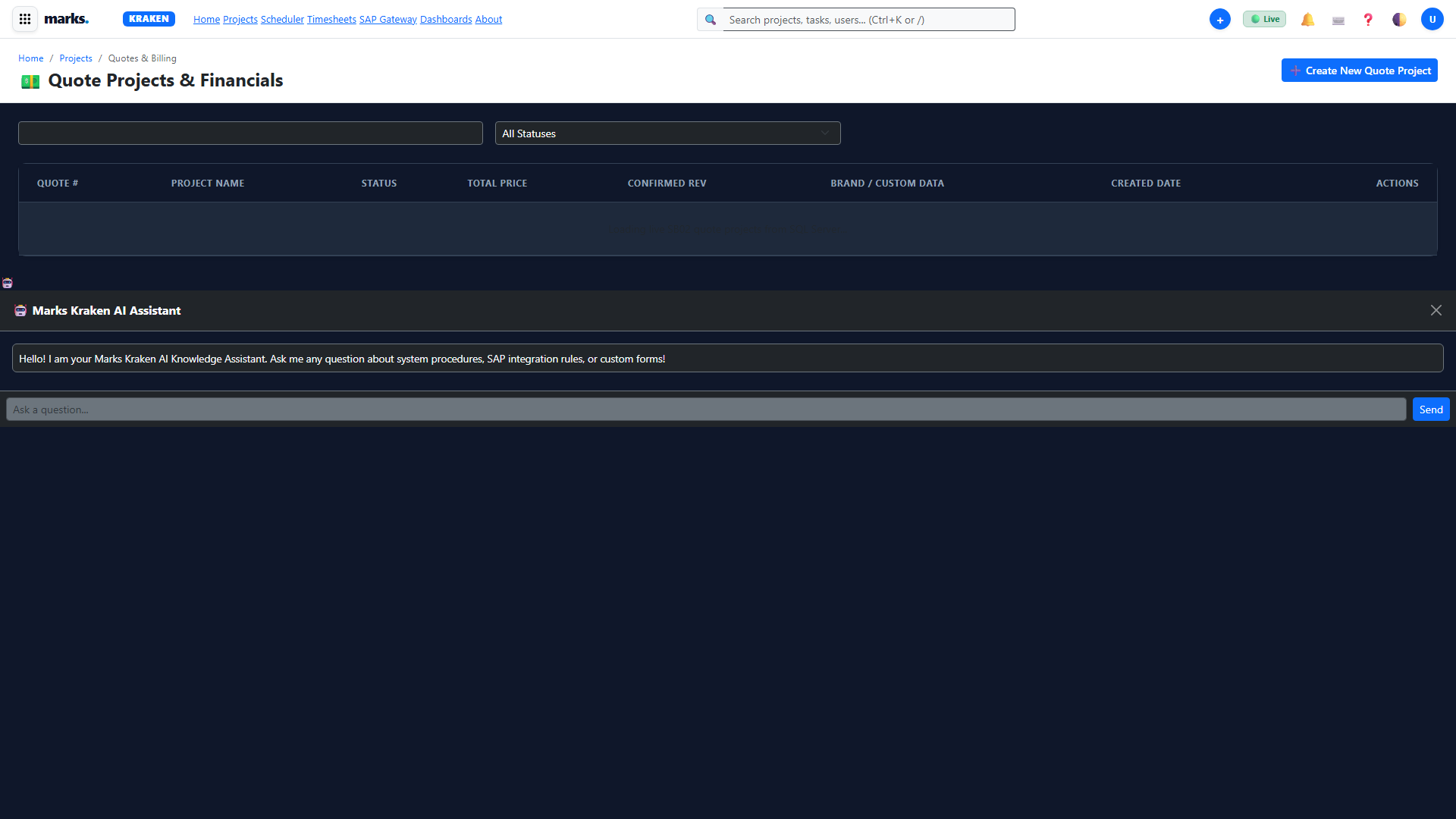
06. Commercial Quotes & Rates
HD Video Module 06 • 4:50 • 720p HD
In project-workspace.html, navigate to the ➕ Add Quote Items tab. Select standard packaging services (e.g. High-Res Artwork, Color Calibration, Die-line Engineering).
Switch billing currencies between GBP, EUR, and USD. Kraken recalculates margins in real-time based on active exchange rates.
🛠️ How to Run Diagnostics & Outbox Self-Healing
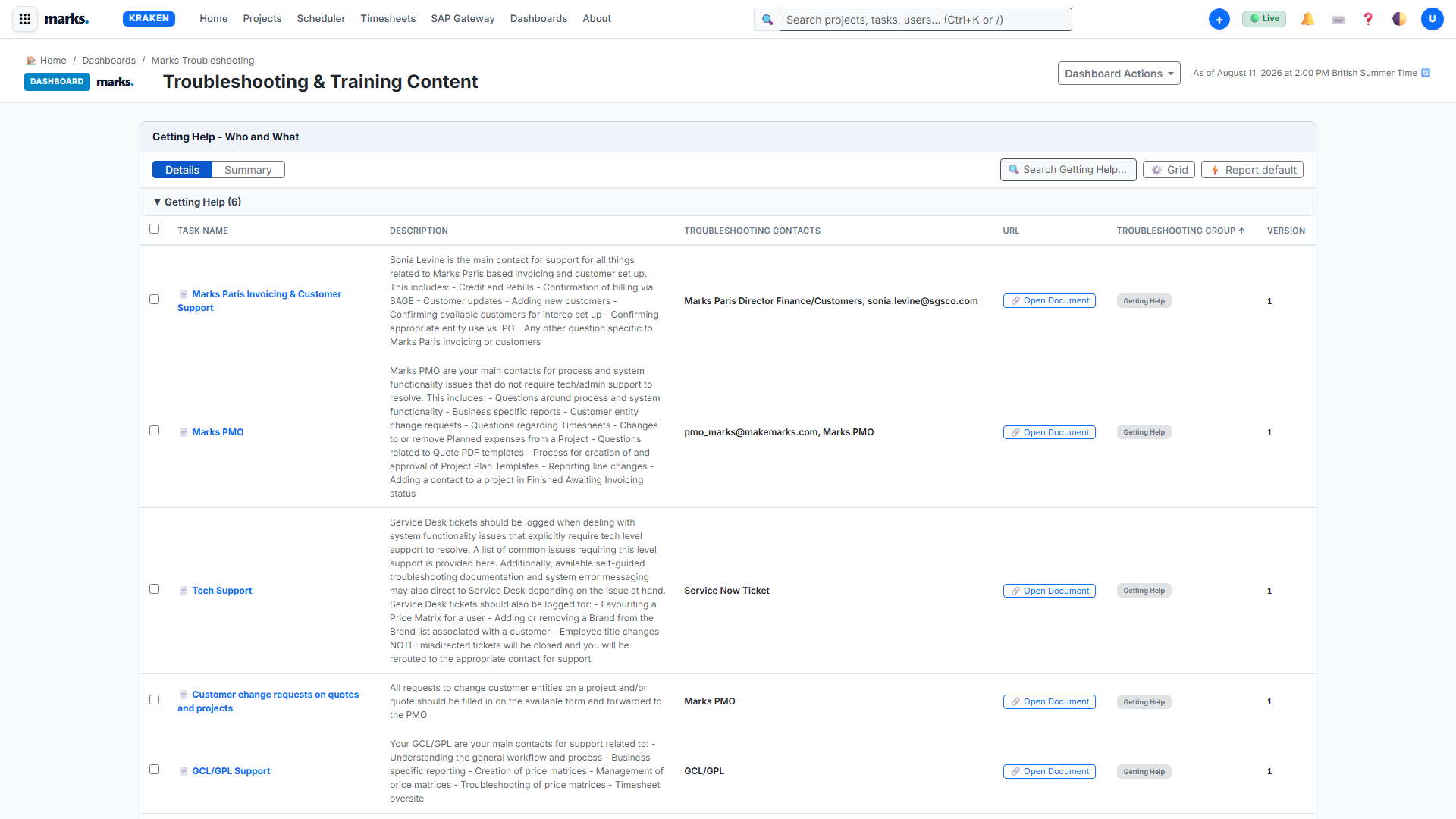
15. Help, Training & Troubleshooting
HD Video Module 15 • 5:40 • 720p HD
Open /diagnostics.html to inspect Azure SQL database connectivity, active sessions, and memory health.
If any external SAP message encounters network timeouts, click Re-queue Failed Outbox Messages to trigger immediate automatic retries.